
Everyday Maths People Get Wrong (and the Free Calculators That Fix It)
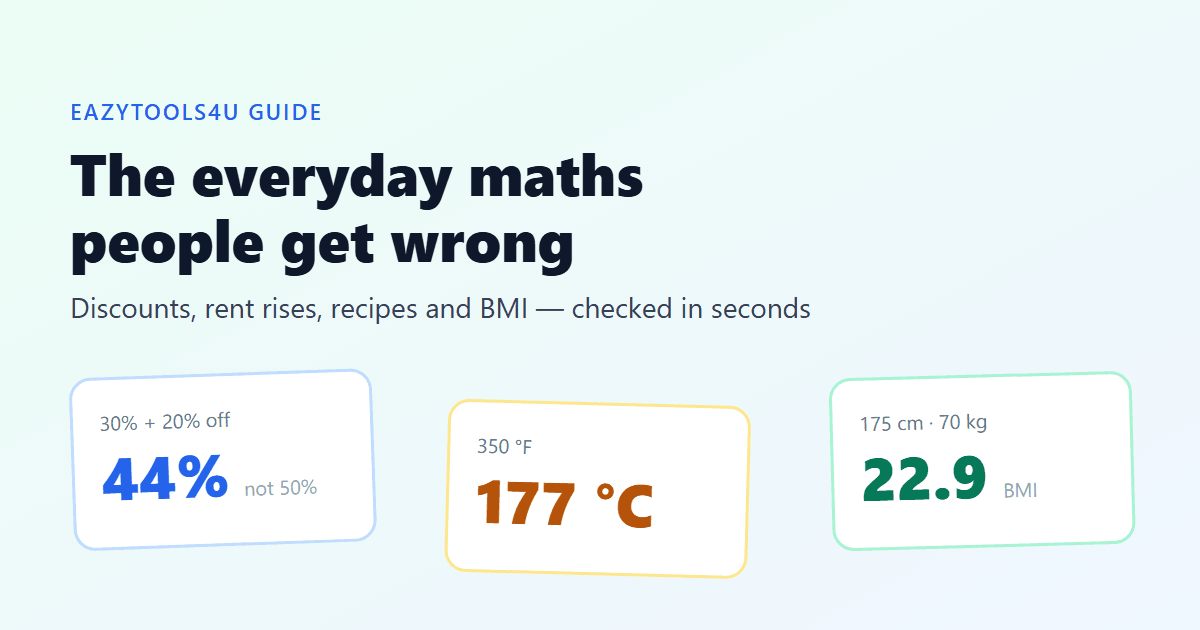
Nobody needs a calculator for 7 × 8. You need one for the sums that look easy and aren't: two discounts on the same jacket, a rent rise followed by a "matching" cut, a recipe written in cups when your kitchen only has a scale. These are the everyday calculations people most often get wrong, with the numbers worked out, and the free tool that settles each one in a few seconds.
"30% off, then an extra 20%" is not 50% off
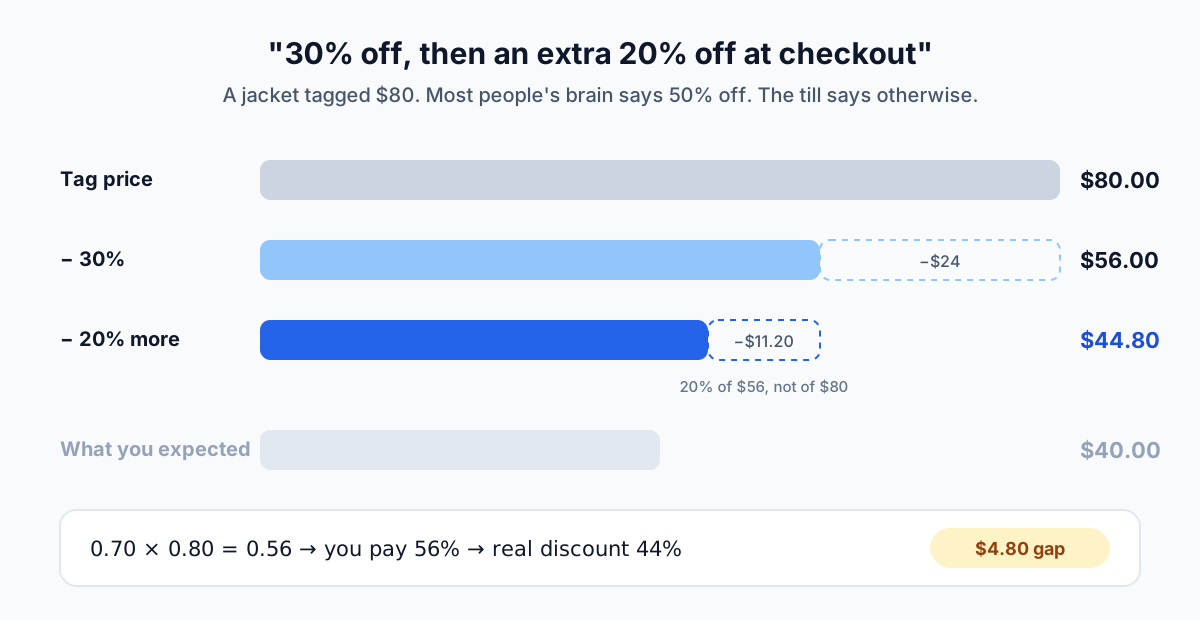
A jacket is tagged $80. The rack says 30% off, and the checkout banner promises an extra 20%. Most people add the two and expect to pay $40. The till says $44.80.
The second discount applies to the already-reduced price. 30% off $80 leaves $56, and 20% off $56 takes away $11.20, not $16. Multiply the remainders instead of adding the percentages: 0.70 × 0.80 = 0.56, so you pay 56% of the tag and the real discount is 44%.
To check a deal like this, use the X% of Y mode twice: 30% of 80, subtract, then 20% of the result. Or work out what you pay directly with 70% of 80, then 80% of 56.
Up 12.5%, down 12.5%, and still paying more
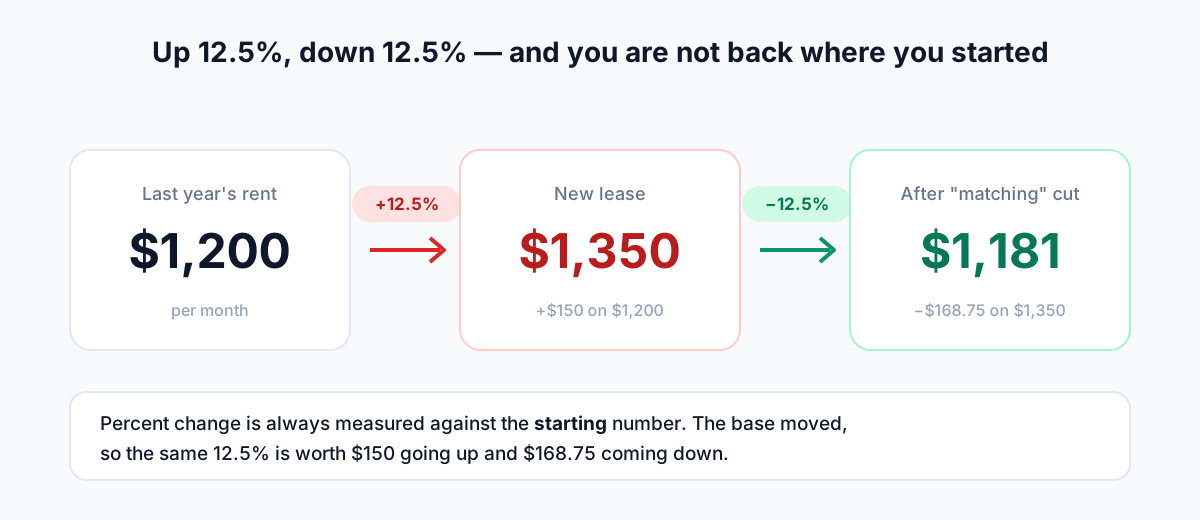
Same trap in a different setting. Rent of $1,200 a month goes up to $1,350. That's a 12.5% increase. After some negotiation the landlord agrees to "take 12.5% back off". The new rent is $1,181.25, not $1,200.
Percent change is always measured against the starting number, and the starting number moved. 12.5% of $1,200 is $150; 12.5% of $1,350 is $168.75. The same applies to salaries, share prices and the "up 50%, down 50%" headlines that leave you with 75% of what you started with.
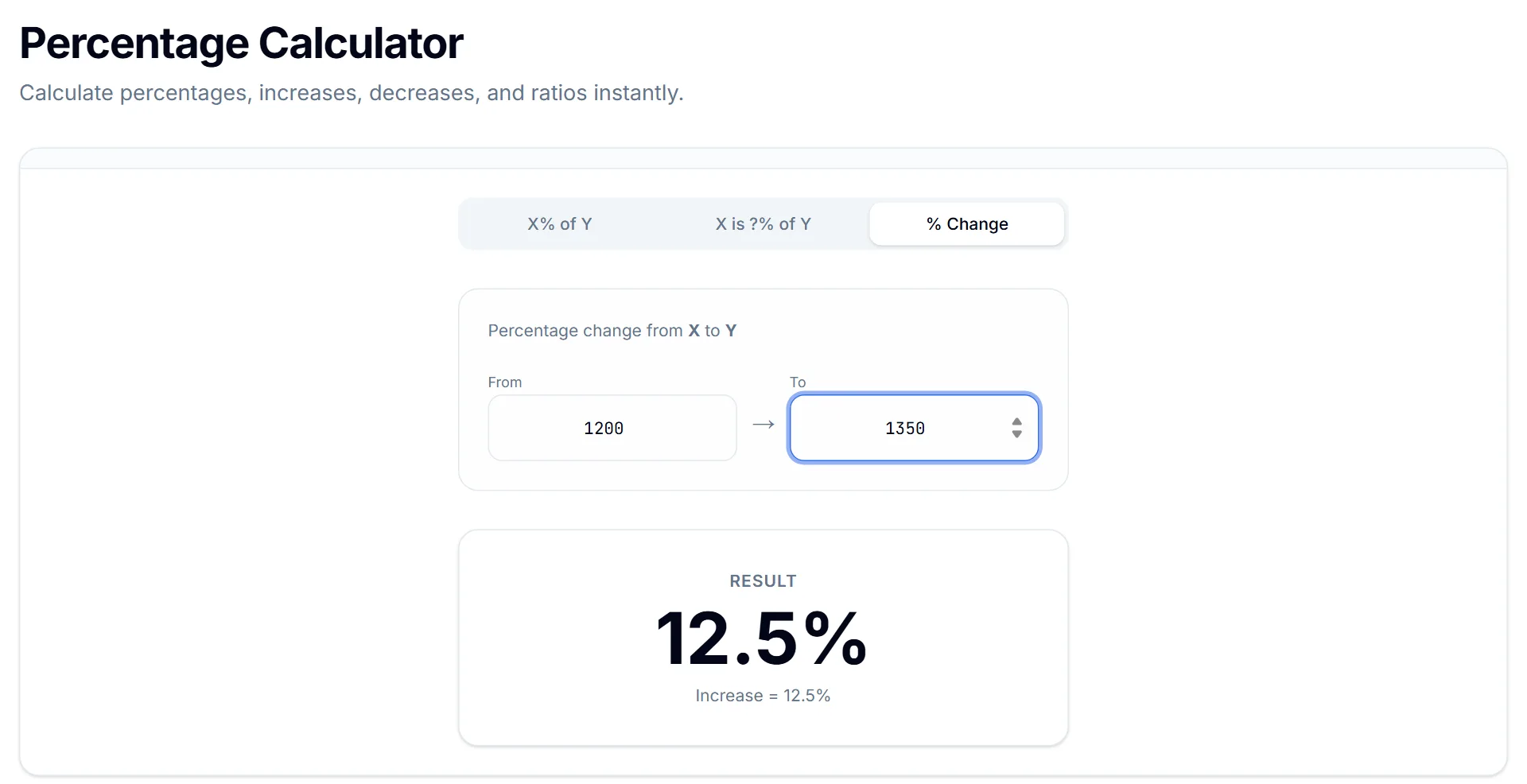
The Percentage Calculator's % Change mode does this without a formula: put the old value in From and the new value in To, and it tells you the change and whether it's an increase or a decrease.
Sales tax and VAT: don't just subtract the percentage
A receipt says $96 including 20% VAT, and you need the pre-tax figure for an expense claim. Taking 20% off $96 gives $76.80, which is wrong. The tax was added to the original price, so you divide: $96 ÷ 1.20 = $80.
To check it, use X is ?% of Y: 80 is 83.33% of 96. That is why "20% on" and "20% off" never cancel out. The same logic works for tips: an 18% tip on a $64.50 bill is 18% of 64.50, which is $11.61.
Kitchen conversions: when cups meet a scale
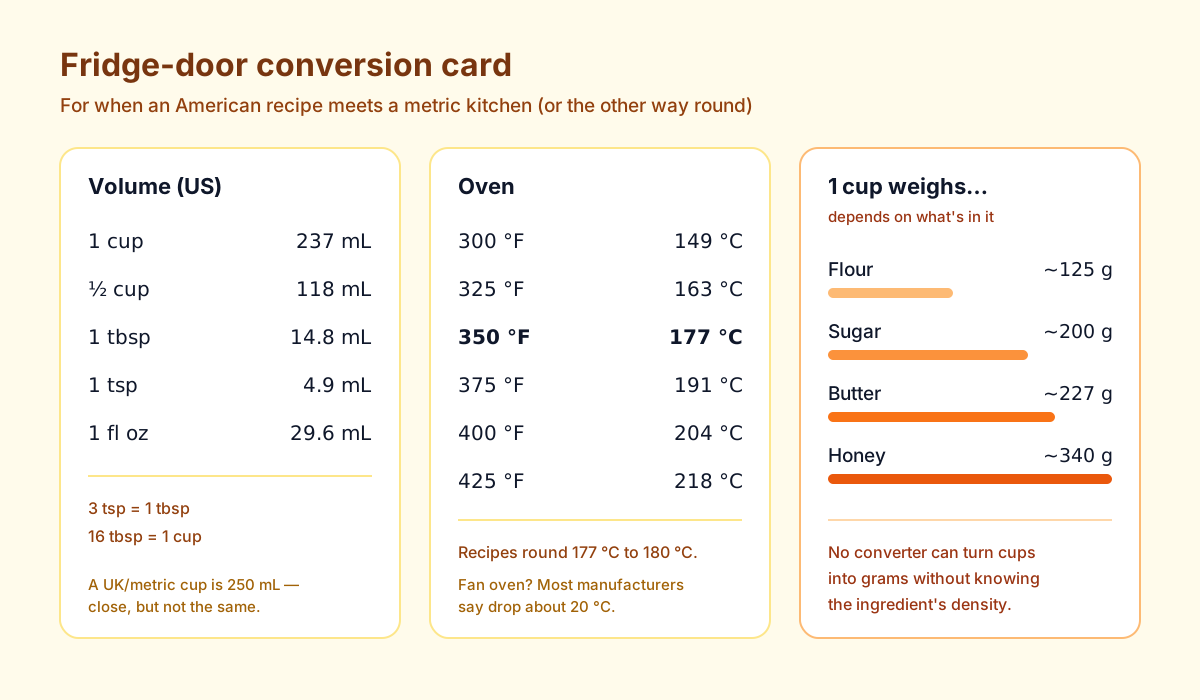
American recipes measure in cups, tablespoons and Fahrenheit. Most of the rest of the world uses millilitres, grams and Celsius. The volume and temperature parts are pure arithmetic: 1 US cup is 236.6 mL, a tablespoon is 14.8 mL, and 350 °F is 176.7 °C, which recipes round to 180 °C. The Unit Converter handles all of these in the Volume and Temperature categories.
Weight is where it gets tricky. A cup is a volume, and a cup of flour (about 125 g) weighs far less than a cup of honey (about 340 g). No converter can turn cups into grams without knowing the ingredient's density, so be suspicious of any site that claims "1 cup = 240 g" for everything. For baking, use ingredient-specific values from a trusted recipe source, or better, a recipe that gives grams in the first place.
Two smaller traps. A UK or Australian "metric cup" is 250 mL, not 236.6 mL, a 6% difference that matters in baking. And if a recipe gives a conventional oven temperature, most oven manufacturers suggest dropping about 20 °C for a fan oven.
Temperature isn't a simple ratio
Most conversions are a single multiplication: centimetres to inches, kilograms to pounds. Temperature isn't, because the two scales start from different zeros. The formula is °C = (°F − 32) × 5/9. That −32 offset is why mental shortcuts drift. "Take off 30 and halve it" turns 68 °F into 19 °C (the real answer is 20 °C) but turns 400 °F into 185 °C when it's really 204 °C.
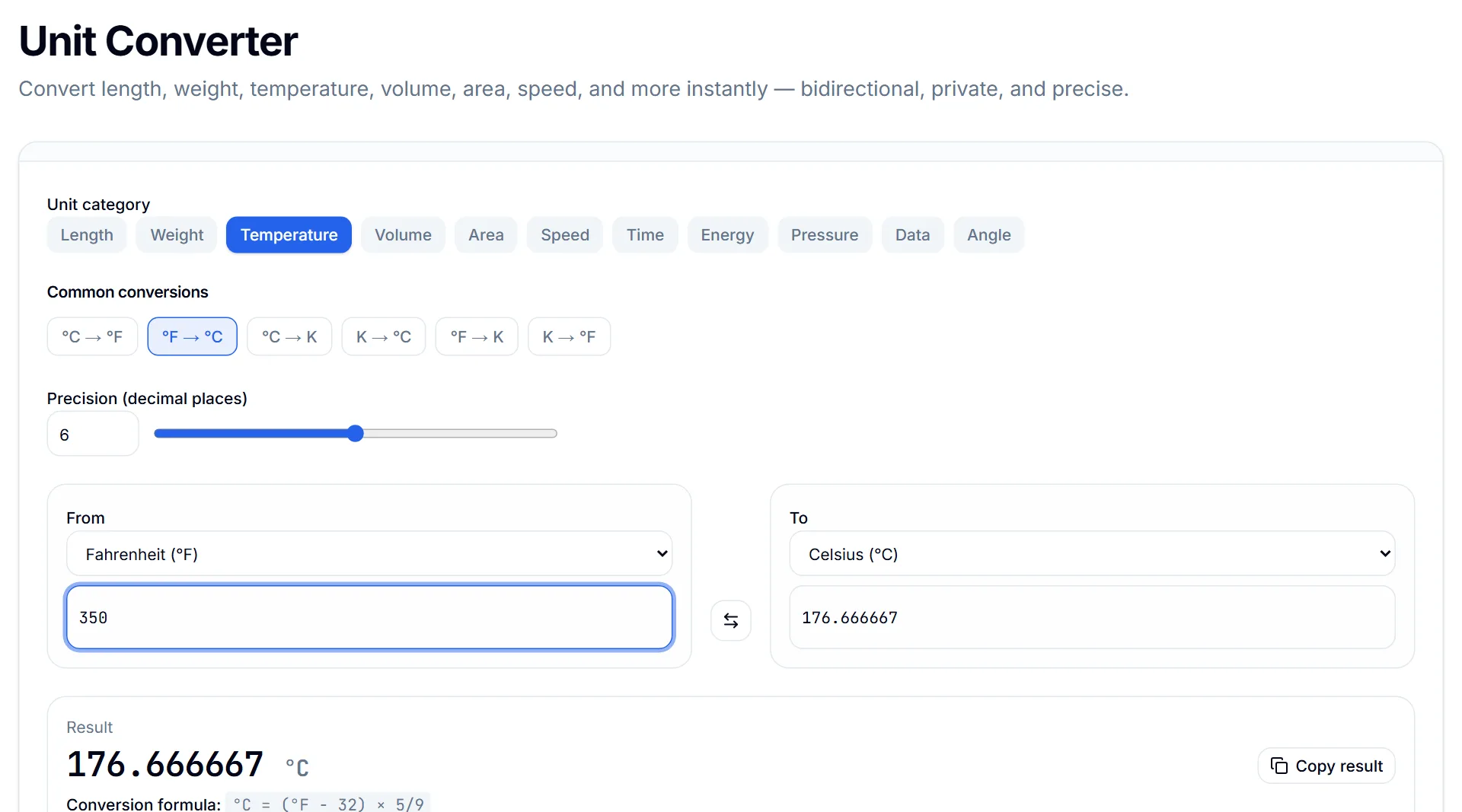
In the Unit Converter, choose Temperature, set From to Fahrenheit and To to Celsius, and type the number. It converts both ways, so you can type into either box, and it shows the formula under the result so you can see where the number came from.
Two more worth bookmarking: BMI and Unix time
BMI is weight in kilograms divided by height in metres squared. Someone who is 175 cm and 70 kg has a BMI of 22.9, inside the 18.5 to 24.9 range labelled normal. The BMI Calculator does the maths in metric or imperial. Treat the result as a rough screening number, not a diagnosis: BMI can't tell muscle from fat, so a muscular athlete can read as overweight.
If you work anywhere near software, you will run into Unix timestamps: seconds since 1 January 1970, UTC. 1700000000 was 14 November 2023 at 22:13:20 UTC. The Timestamp Converter turns a timestamp into a readable date and back again, in seconds or milliseconds. A 13-digit number is almost always milliseconds, and that one detail explains most "why is this date in the year 55000" bugs.
- Percentage Calculator: discounts, tips, tax, and percent change
- Unit Converter: 11 categories including volume, temperature, weight and data
- BMI Calculator: metric or imperial, with the standard category ranges
- Timestamp Converter: Unix seconds or milliseconds to a date, and back
Key takeaways
- Stacked percentages multiply. Work out what's left after each step instead of adding them up.
- Percent change is measured from the starting value, so the same percentage up and down doesn't cancel out.
- To remove tax, divide by (1 + rate). Don't subtract.
- Cups to grams depends on the ingredient; volume and temperature conversions don't.
Try the related tool
Put this guide into practice with a free, private browser tool — no signup.
Percentage CalculatorFrequently Asked Questions
How do I calculate two discounts on the same item?
Multiply what's left after each discount. 30% then 20% off means paying 0.70 × 0.80 = 0.56 of the price, which is a 44% discount overall, not 50%.
How do I remove sales tax or VAT from a total?
Divide by 1 plus the tax rate. For 20% VAT, divide the total by 1.20; for 8% sales tax, divide by 1.08. Subtracting the percentage from the total gives the wrong answer.
How many grams are in a cup?
It depends on the ingredient. A US cup is a volume (236.6 mL). Plain flour weighs roughly 125 g per cup, sugar about 200 g, and butter about 227 g.
Do these calculators store what I type?
No. They run in your browser, and the numbers you enter aren't sent to a server.